Windows stable · macOS beta · Linux preview

Speak better.
Connect with confidence.

Buddy helps you practise conversations, analyse your pronunciation and delivery, refine your vocabulary and grammar, and learn through contextual spoken AI dialogue — all while microphone audio and core speech processing stay on your PC.

Windows stable · macOS beta · Linux preview

  • No account for core features
  • Local audio processing
  • Crash-safe recordings
LocalWhisper recognition
Editabletranscripts and revisions
Persistentrecordings and dialogs
Naturallocal voice playback

See Buddy in action

A full speaking loop in under a minute.

Watch a real Buddy session: dialog, pronunciation and meaning on demand, pause-cut recording playback, and a clearer monologue.

AI dialogWord guideRecordingsBetter version

English audio · captions in English, Spanish, German, Belarusian, and Russian

Three ways Buddy helps

From the first word to the version you meant to say.

One calm workspace connects spontaneous conversation, deliberate practice, and a searchable memory of your speech.

01

Spoken AI Dialog

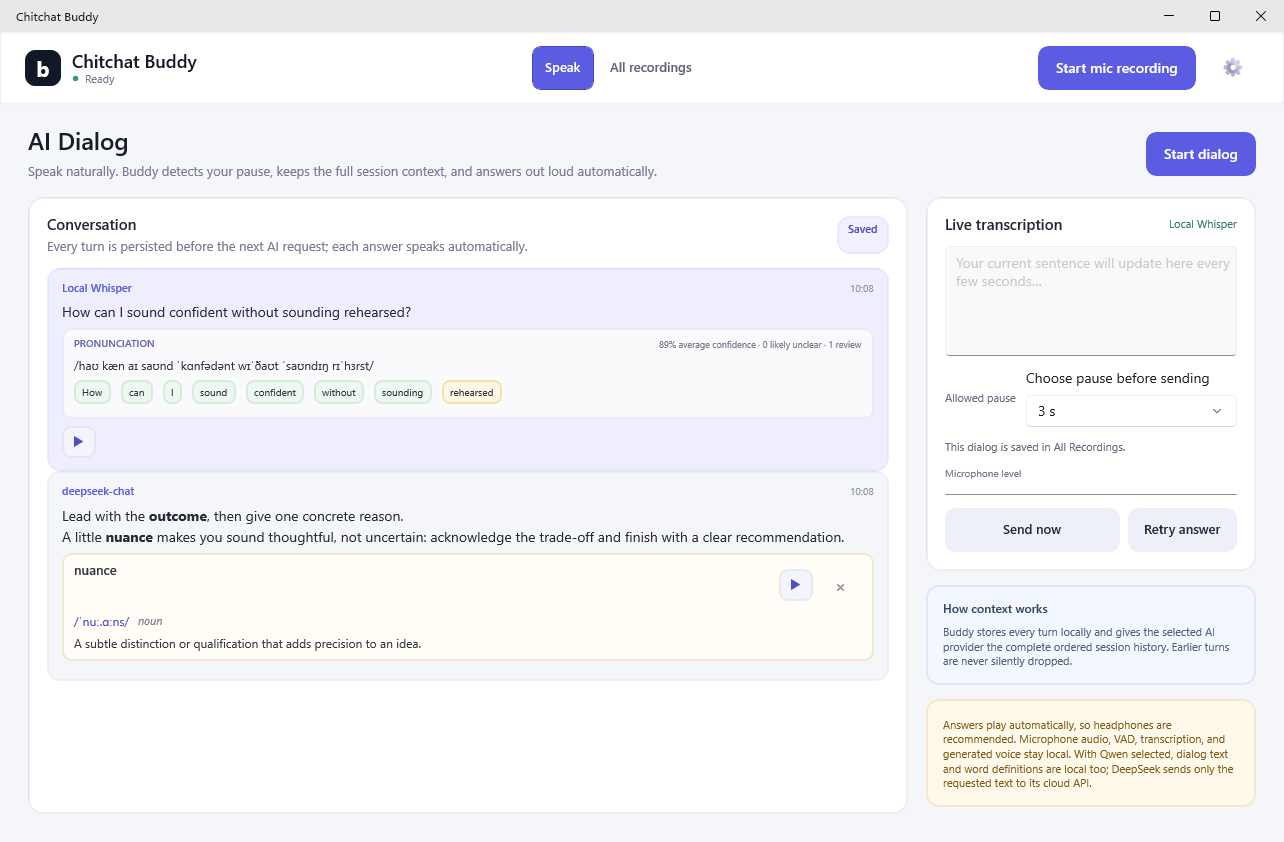
Speak freely, see the live transcript, and hear each answer automatically. Buddy keeps the full session context and waits for the pause length you choose.

  • Formatted answers plus natural narration
  • Adjustable end-of-turn timing
  • Capped Buddy DeepSeek access by default, your key, or local Qwen
02

Speech trainer

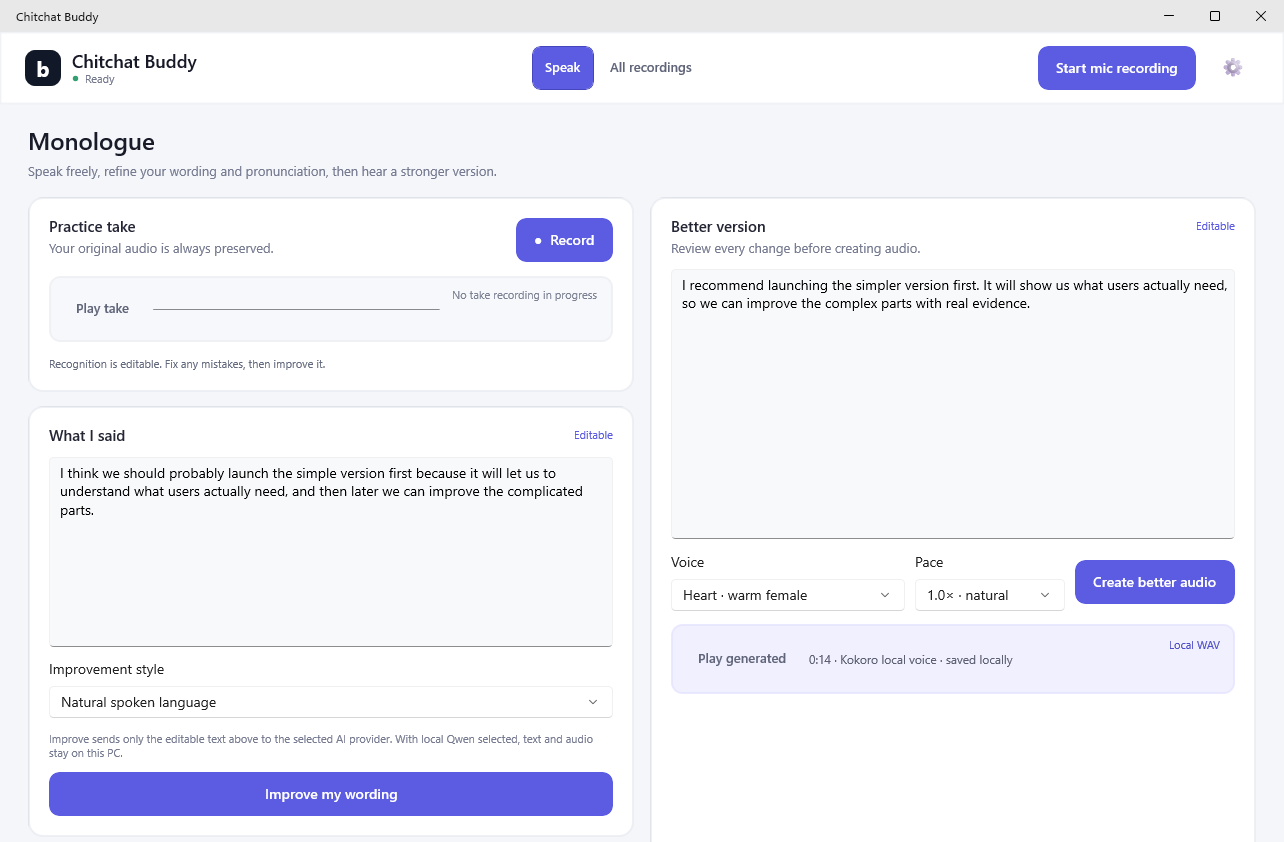
Edit recognition mistakes before asking for help. Improve grammar, vocabulary, clarity, and tone without losing your intent.

  • IPA and word-level confidence cues
  • Correct, natural, or concise modes
  • Hear your original and improved version
03

Meeting memory

Record your selected microphone, replay only the useful speech with long silence collapsed, and request a smart local transcript whenever you need one.

  • Crash-recoverable audio chunks
  • Editable, retryable transcripts for every recording
  • Pause-cut playback, seeking, and transcription

Built for everyday use

Start speaking.
Buddy handles the rest.

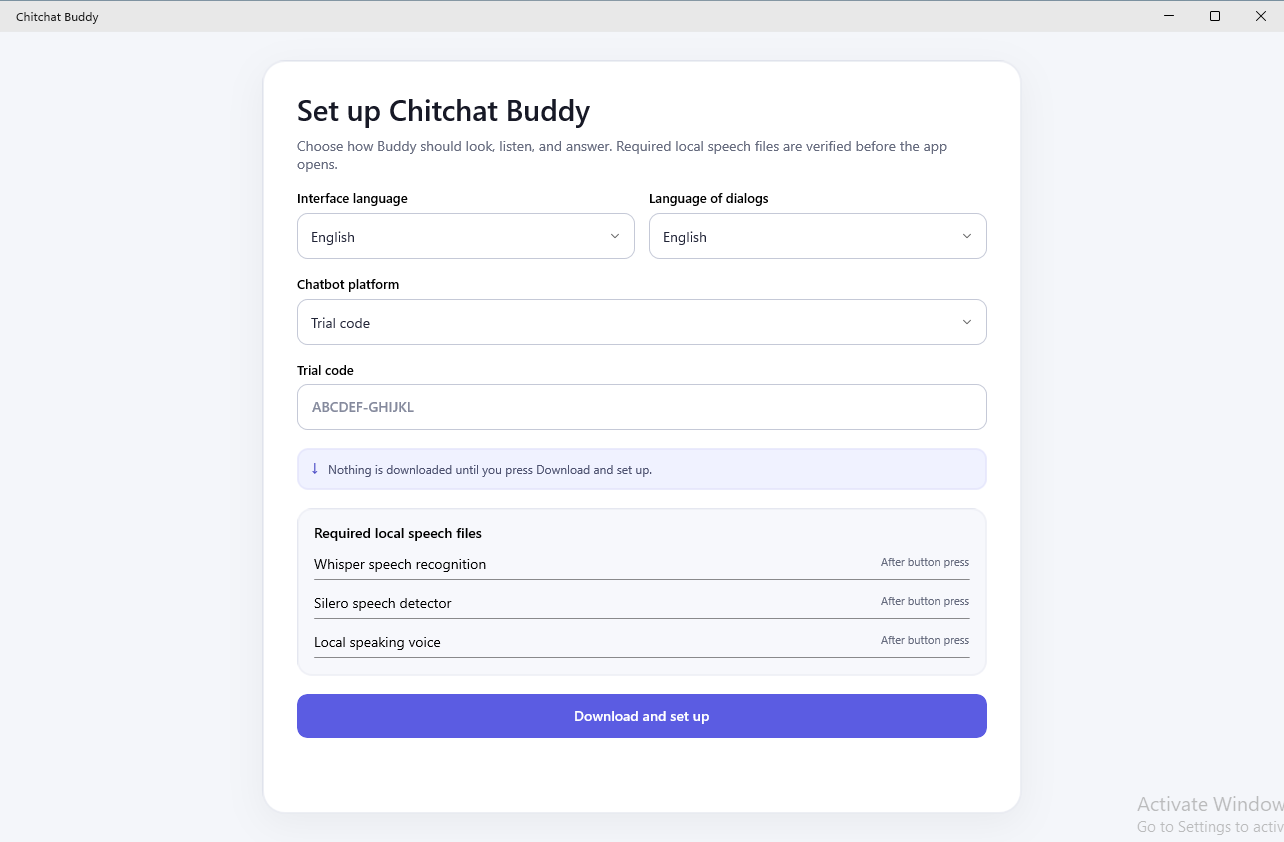
Install the build for your desktop. Optional local AI packs are downloaded only when needed, with clear progress and notifications.

  1. 1

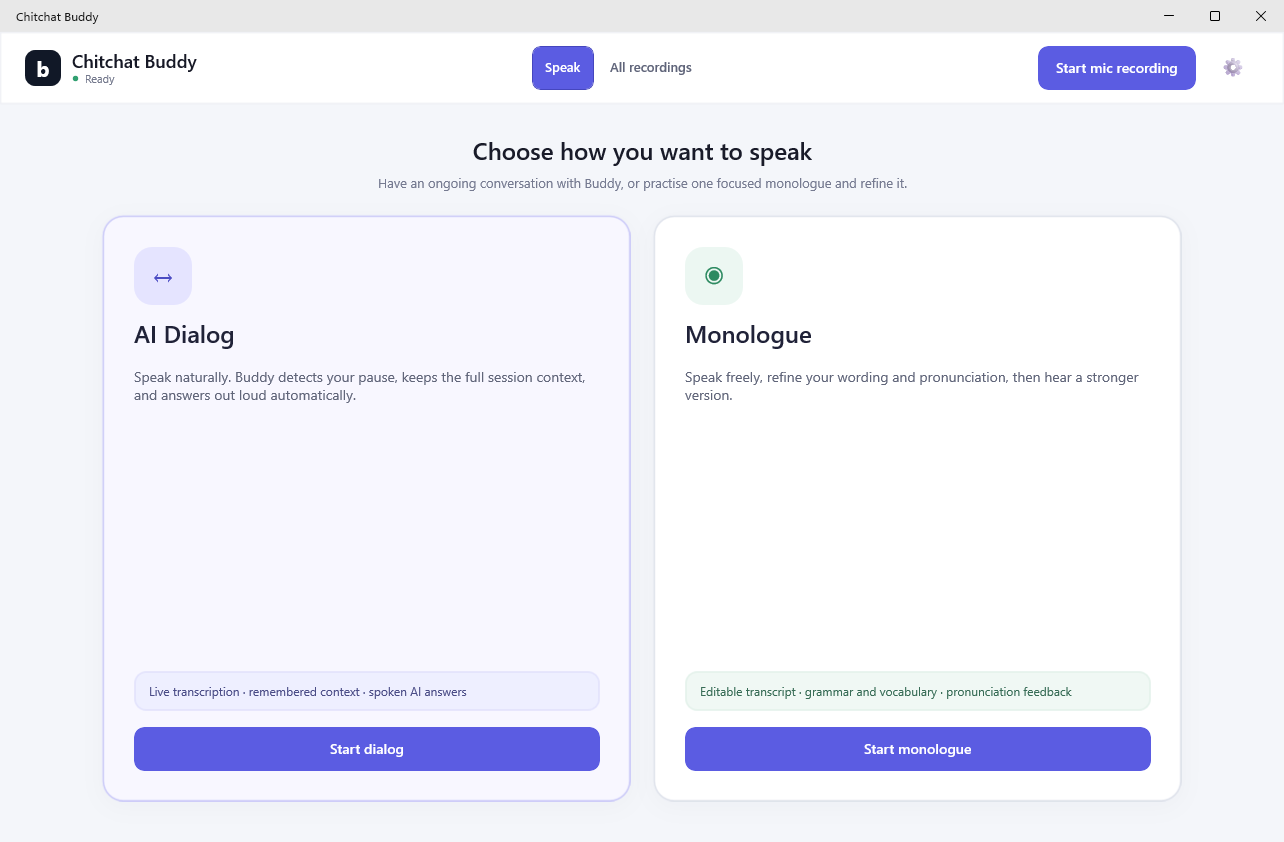
    Choose a mode

    Begin an AI dialog, practise a monologue, or start meeting capture from the tray.

  2. 2

    Speak naturally

    Local voice activity detection and Whisper turn your microphone into durable, editable text.

  3. 3

    Review, improve, replay

    Correct a word, inspect IPA and meaning, hear a clearer version, or revisit any saved moment.

Privacy by architecture

Your voice is not the price of admission.

Microphone audio, recognition, pronunciation analysis, silence removal, and voice synthesis stay on your computer. Language tasks use capped Buddy access to DeepSeek by default and send only the requested text — never your microphone recording. The gateway stores key hashes and numerical usage, not dialog text. Choose local Qwen to keep the requested text on your PC too.

Local audio

Your recordings remain in your operating-system profile.

Protected keys

Provider credentials use operating-system secure storage.

Your choice

Use hosted text AI or download Qwen for local answers.

Small controls, real control

Made to stay out of your way.

Lives in the tray

A visible b means ready; a red r makes active recording unmistakable.

Plays from the right moment

Click any point in the sound-level timeline, pause, resume, or restart.

Text behaves like text

Select and copy formatted messages. Click a word only when you want its IPA and contextual meaning.

Survives interruptions

Short capture checkpoints and a durable local catalog protect work in progress.

Questions, answered

Know what Buddy does — and what it does not.

Does Buddy record everyone in a meeting?

No. Buddy records the microphone you select. It is designed to remember your own remarks, not remote participants or Windows system audio. Headphones give the cleanest result.

Does my audio leave my computer?

No. Audio capture, Whisper recognition, pronunciation analysis, and speech generation run locally. The default capped Buddy provider sends only the text required for an AI task to DeepSeek. Local Qwen keeps that text on your PC too.

Can I use Buddy without a cloud account?

Yes. Recording, playback, transcription, and local voice need no account. Releases include up to 1,000 replies or 1,000,000 tokens of capped Buddy DeepSeek access, whichever limit is reached first. Download optional local Qwen to keep AI answers and text improvement on your PC.

Which AI models can answer a dialog?

Buddy Trial uses DeepSeek V4 Flash through Buddy's limited gateway and includes up to 1,000 replies or 1,000,000 tokens. Direct DeepSeek uses the same cloud model with your own DeepSeek API key and account billing. On Windows, local Qwen runs the quantized Qwen 3.6 27B model with DFlash acceleration; its roughly 21.5 GB download is slower but keeps dialog text on your computer.

What does the installer download?

The app is self-contained. Larger speech and local AI model packs are installed on demand with progress and completion notifications, so you do not wait for components you may never use.

Which desktop platforms are supported?

Windows 10/11 x64 is stable. The macOS 13+ Apple Silicon build is beta and currently uses the Dock instead of a menu-bar item. Word confidence and lazy per-word phonetics work there; the full local IPA line is currently Windows/Linux-only. Ubuntu 24.04+ x64 is an experimental GTK4 preview; its tray needs a StatusNotifier-compatible desktop. Local Qwen remains Windows-only.

Is pronunciation feedback an accent score?

No. Buddy uses word timing and recognition confidence to flag passages worth reviewing. IPA is a guide, not a judgement of your accent or identity.
Chitchat Buddy 0.4.1 · three desktop hosts

Your next thought deserves a better second take.

Install Buddy, choose your microphone, and start with the features that work locally from day one.